Open a workbook (See Load Workbook) or create a new display (See Add Display) with some parameters
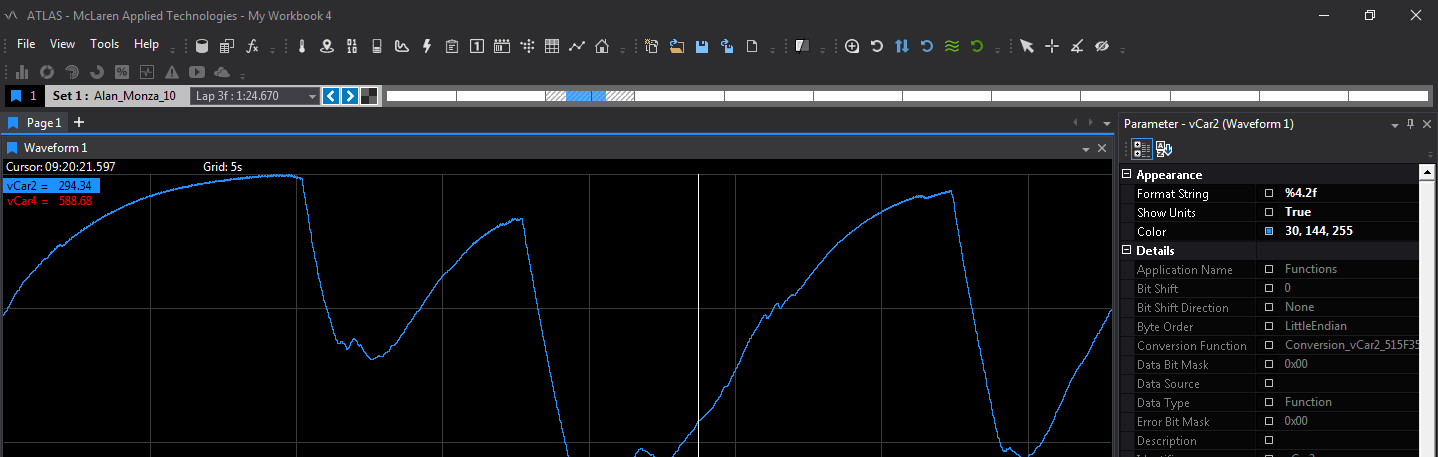
The Parameter Properties Window can then be opened in the following ways:
Double click on the parameter name in the display
Double clicking a selected parameter in the Parameter Browser (See Add Parameters)
(Optional) The Parameter Properties window will be displayed on the right hand side of the application by default, but to un-dock the display, left click On the title bar of the display and drag the window away from its current location.
Once the Parameter Properties window is visible, enabled properties (that display in white text) can be edited.
Parameters update dynamically when changed in the parameter properties dialog. Note colours selected have to be double clicked to apply.

Comments
0 comments
Please sign in to leave a comment.